

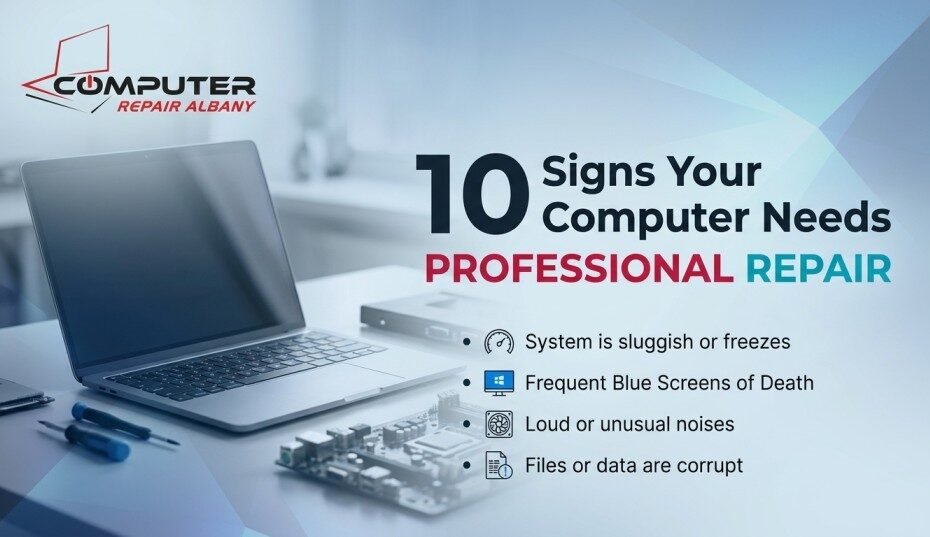
Computer Repair Albany NY: 10 Signs You Shouldn’t Ignore
Most people don’t call for computer repair the moment something feels slightly off they wait until it’s undeniable. The problem is that by the time a computer issue becomes undeniable, it’s often had weeks or months to get worse, and what would have been a quick, inexpensive fix has turned into a failing hard drive, lost files, or a dead motherboard.
Here are the 10 signs we see most often in Albany area homes and offices what each one usually means, and when it’s time to stop waiting and call a professional.
1. It Takes Forever to Start Up or Load Programs
A computer that used to boot in under a minute and now takes five or more is telling you something specific: too many startup programs, a nearly full hard drive, or most commonly on older machines a traditional hard drive that simply can’t keep up anymore. This is one of the most common reasons people search for computer repair Albany in the first place, and it’s also one of the most fixable, often resolved with a clean up or an SSD upgrade rather than a full replacement.
2. It Overheats or the Fan Runs Loud Constantly
If the fan sounds like it’s working overtime even for basic tasks, or the laptop is uncomfortably hot to the touch, dust buildup inside the vents is the most likely cause. Left unaddressed, overheating causes performance throttling, random shutdowns, and over time permanent damage to internal components. This is especially common on laptops used on beds, couches, or carpet, where soft surfaces block the intake vents.
3. You’re Seeing the Blue Screen of Death Repeatedly
An occasional blue screen after a Windows update usually isn’t a red flag. A blue screen that keeps returning, especially with the same error code, is Windows telling you it’s hit a problem it can’t resolve on its own commonly faulty RAM, driver conflicts, overheating, or a failing drive. Repeated BSODs are one of the clearest “get this looked at” signals on this list.
4. Strange Clicking, Grinding, or Whirring Noises
Any new noise your computer didn’t make before is worth paying attention to, but a clicking or grinding sound is the most urgent it’s a classic warning sign of a failing mechanical hard drive. If you hear this, the priority isn’t fixing the noise, it’s backing up your files immediately, before the drive fails completely.
5. Programs Freeze or Crash Without Warning
If applications regularly become unresponsive, close unexpectedly, or the whole system locks up requiring a hard restart, the cause is usually one of: insufficient memory for what you’re running, a background program consuming resources (sometimes malware), or software conflicts from an operating system that hasn’t been properly maintained. Frequent freezing that interrupts work is a strong sign it’s time for a professional look rather than repeated manual restarts.
6. Pop Ups, Browser Redirects, or Unfamiliar Programs
Ads appearing outside your browser, a homepage or search engine that changed itself, or programs in your startup list you don’t remember installing are classic malware symptoms. These often start subtly and get worse slower performance, more intrusive pop ups, and in serious cases, ransomware that locks your files entirely. Malware is also one of the few problems on this list where doing nothing actively makes things worse over time.
7. The Battery Won’t Hold a Charge (Laptops)
A laptop that used to last hours and now drains in under an hour, needs to stay plugged in constantly, or shuts off the moment it’s unplugged has a battery that’s reached the end of its useful life a normal, expected wear issue, not a sign of a bigger problem. It’s also one of the more straightforward and affordable fixes on this list, and worth addressing before the battery swells or fails completely.
8. Files Won’t Open, Save, or Have Disappeared
Corrupted files, documents that won’t open, or files that seem to have vanished are often early signs of a failing drive sometimes before any noise or slowdown is noticeable. This is one of the more serious signs on this list because it directly threatens your data. If you notice this, minimize further use of the computer and prioritize getting your files backed up or recovered before attempting any other fixes.
9. It’s Still Running Windows 10
Windows 10 officially reached end of support on October 14, 2025, meaning Microsoft no longer provides security updates, software updates, or technical assistance for it. The computer will keep running exactly as before, but without security updates, it becomes increasingly vulnerable to viruses and malware over time. This is a newer entry on this list, but it’s become one of the most common reasons Albany area customers have called in the past year many machines can’t upgrade to Windows 11 without a hardware change, and a technician can tell you quickly which path fits your computer.
10. It Shuts Off Randomly or Won’t Turn On at All
This is the most serious sign on this list. Random shutdowns during use usually point to overheating, a failing power supply, or a hardware fault. A computer that won’t turn on at all could be a power issue, a battery or charging port problem (on laptops), or something deeper but the cause matters less than the response: stop trying repeated power cycles, which can sometimes make an underlying issue worse, and get a diagnostic instead.
What to Do If You Recognize 3 or More of These Signs
One or two of these signs in isolation a loud fan, a slow boot often point to a simple, low cost fix. Three or more happening together, or any single serious sign like drive noises, disappearing files, or random shutdowns, is a strong signal that it’s time for a professional diagnostic rather than continuing to troubleshoot on your own. A proper diagnostic identifies the actual cause in one visit, rather than guessing at parts or software fixes that may not solve the real problem.
Recognize a few of these signs in your own computer?
Call Computer Repair Albany NY or request a free diagnostic quote we come to you anywhere in the Capital Region.
FAQ
How many of these signs mean I definitely need repair?
Any single serious sign drive noises, disappearing files, or random shutdowns is worth addressing on its own. For less urgent signs like a slow boot or occasional freeze, three or more happening together is a good threshold for getting a professional diagnostic rather than continuing to troubleshoot.
Can a slow computer actually be fixed, or do I need a new one?
Most slow computers can be meaningfully improved with a clean up, more free disk space, or an SSD upgrade replacement is usually only necessary when multiple hardware components are failing at once or the machine can’t run a currently supported operating system.
What’s the first thing I should do if I hear clicking or grinding noises?
Back up your important files immediately, and minimize further use of the computer. Clicking or grinding on a hard drive is one of the more time sensitive warning signs, since the drive can fail completely with little additional warning.
Is it normal for a laptop battery to wear out?
Yes laptop batteries are a wear item and naturally lose capacity over time, especially after a few years of daily charging cycles. A battery that no longer holds a useful charge is a normal, fixable issue rather than a sign of a bigger problem.
My computer has a few of these signs but still basically works should I wait?
Waiting is the biggest factor that turns an inexpensive fix into an expensive one, especially with drive related and overheating symptoms. A quick diagnostic now typically costs far less than dealing with data loss or a bigger hardware failure later.
Is Windows 10 really a “sign my computer needs repair,” or just an inconvenience?
It’s a legitimate security concern without ongoing security updates, a Windows 10 device is more vulnerable to viruses and malware over time, even if the computer otherwise feels fine. It’s worth a quick check to see whether your machine can move to Windows 11 or needs to be replaced.
Conclusion
None of these 10 signs mean your computer is beyond saving most are fixable, and several are inexpensive to address once properly diagnosed. What matters most is not waiting until multiple signs stack up or a fixable issue becomes a data loss emergency.
If your computer in the Albany area is showing any of these signs, call (518) 252 7766 or request a free diagnostic quote Computer Repair Albany NY comes to you, anywhere in the Capital Region.