



Laptops fail differently than desktops. A desktop’s components mostly just sit in a case and run a laptop’s screen gets opened and closed thousands of times, its battery goes through daily charge cycles, its keyboard takes years of direct impact, and the whole thing gets carried around, dropped, and occasionally has coffee spilled on it. That’s why laptop problems tend to cluster around a specific set of failure points that desktop guides don’t cover well.
This guide walks through the laptop problems we see most often across Albany, Colonie, Troy, Guilderland, and the rest of the Capital Region what actually causes each one, what you can try yourself, and when it’s worth calling in laptop repair Albany NY professionals instead of guessing.
How Laptop Repair Differs From Desktop Repair
Three things make laptop repair its own category rather than a smaller version of desktop repair:
- Everything is compact and interconnected. A laptop’s battery, keyboard, and motherboard are often stacked in a tight space, so a problem in one area can be harder to isolate without opening the case.
- Parts are model specific. A desktop power supply is often generic and swappable; a laptop screen, battery, or keyboard is usually only compatible with that specific model or a narrow range of them, which affects both repair cost and turnaround time.
- Physical wear matters more. Hinges, charging ports, and keyboards see daily physical stress that desktop components simply don’t experience.
Keeping these differences in mind is why a laptop specific diagnostic not a generic computer checkup gets to the right answer faster.
The Most Common Laptop Problems We See in Albany
Laptop Won’t Turn On or Won’t Charge
This is the most common call for laptop computer repair Albany NY technicians receive, and there are a few distinct causes worth telling apart:
- No lights at all, even when plugged in: often a charging port, power adapter, or battery issue
- Charging light on, but won’t power on: can point to a motherboard or power circuit issue
- Charges intermittently, or only at a certain angle: classic sign of a worn or loose charging port extremely common on laptops that are 3+ years old
- Turns on, then shuts off immediately: frequently a battery that’s failed completely rather than just degraded
Charging ports take a lot of physical stress from daily plugging and unplugging, which is why this is one of the single most common laptop specific repairs.
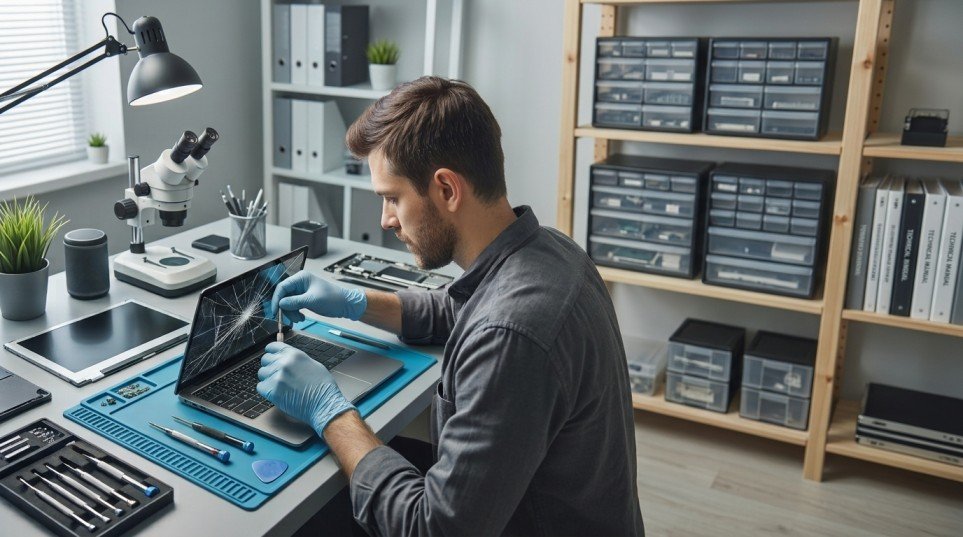
Cracked, Flickering, or Dark Screen
Laptop screens are vulnerable in ways desktop monitors aren’t, since the screen travels with the laptop and takes the brunt of drops, closes, and bag pressure. Common patterns:
- Visible crack or spidering lines: physical screen damage, usually requires a full screen replacement
- **Flickering or dimming:) often a loose display cable connection or a failing backlight
- Completely dark but the laptop is clearly running (fan noise, keyboard lights on): frequently a backlight or cable issue rather than the screen panel itself worth a diagnostic before assuming the whole screen needs replacing, since the fix can be considerably cheaper
Battery Draining Fast or Not Holding a Charge
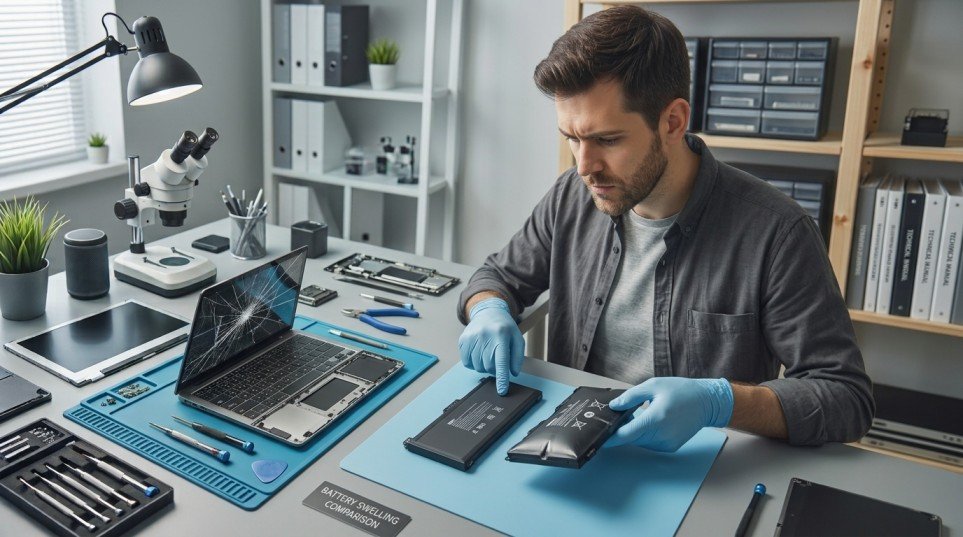
Laptop batteries are a wear item, not a defect they naturally lose capacity after enough charge cycles, typically becoming noticeable after two to four years of regular use. Signs include: battery percentage dropping unusually fast, the laptop shutting off the moment it’s unplugged even at a reported 20 30%, or a battery that’s visibly swollen (a safety issue stop using the laptop and get this looked at promptly). Battery replacement is one of the more affordable, straightforward laptop repairs and often gives an otherwise healthy laptop years more useful life.
Keyboard Keys Not Working or Sticking
Whether it’s a single key that’s stopped registering or several keys typing incorrectly, causes range from simple debris under the keys to a failed keyboard membrane, often from a spill (even a small one, weeks earlier) or years of use. On many laptop models, keyboards are replaceable as a unit rather than key by key, which is more affordable than owners often expect.
Overheating and Loud Fan Noise
Laptops are especially prone to overheating because their internal fans and vents are smaller and closer together than a desktop’s, and dust builds up faster in that tighter space. Using a laptop on a bed, couch, or lap directly blocks the intake vents on many models, which is one of the most common and easiest to fix causes of overheating complaints. A physical cleaning and thermal paste refresh often resolves “randomly shuts off” or “gets uncomfortably hot” complaints.
Broken or Loose Hinges
Hinges endure thousands of open and close cycles over a laptop’s life, and it shows: a hinge that feels loose, won’t hold the screen at an angle, or makes a cracking/grinding sound when opened is a mechanical wear issue. Left unaddressed, a failing hinge can eventually stress and crack the plastic casing around it or damage the display cable that runs through it catching it early keeps the repair smaller.
Trackpad Not Responding Correctly
An unresponsive, erratic, or “jumpy” trackpad is usually a driver or software setting issue, but a trackpad that’s become physically difficult to click or feels different than before can indicate a loose internal connection or a swelling battery pressing against it from underneath worth a quick check rather than dismissing it as “just software.”
Slow Performance and Freezing
The same core causes apply as on desktops too many startup programs, a nearly full drive, an aging hard drive instead of an SSD, or background malware but laptops add one more common factor: thermal throttling from dust buildup, which slows the whole system down as a safety measure before it ever shuts off completely.
Liquid Spills and Water Damage
If liquid gets into a laptop, the single most important step is powering it off immediately do not try to keep using it to “see if it still works,” since a laptop that seems fine right after a spill can short out minutes or hours later as the liquid spreads internally. Unplug it, don’t turn it back on, and get it to a technician for cleaning before attempting to power on again. Sugary drinks and coffee cause more lasting damage than water because of residue left behind even after drying.
It’s Still Running Windows 10
Windows 10 officially reached end of support on October 14, 2025, meaning Microsoft no longer provides security updates, software updates, or technical assistance for it. The laptop will keep running exactly as before, but without security updates, it becomes increasingly vulnerable to viruses and malware over time. This affects laptops just as much as desktops, and it’s become one of the most common reasons Albany area customers have called in for a laptop checkup many older laptops can’t upgrade to Windows 11 without a hardware change, and a technician can quickly tell you which path fits your specific machine.
DIY Fixes You Can Try Before Calling a Technician
A few basic steps are worth trying before assuming the worst:
- Try a different charging cable and outlet charging issues are sometimes the cable or adapter, not the laptop itself
- Restart properly a full shutdown (not just closing the lid) clears many temporary freezes and slowdowns
- Check Task Manager (Ctrl+Shift+Esc) for a specific program consuming abnormal CPU or memory
- Clean the keyboard and vents with compressed air if debris or dust is visible
- Run Windows Update many crash and driver issues are already patched
- Adjust power and display settings if the screen seems dim or the trackpad feels off sometimes a setting, not a hardware fault
When to Call a Professional Instead of DIY ing It
Call a technician rather than continuing to troubleshoot when:
- There’s any physical damage cracked screen, broken hinge, damaged charging port
- Liquid has been spilled on the laptop, even if it currently still seems to work
- The battery is swollen or the laptop gets unsafely hot
- Data recovery is involved a failing drive is not the place for trial and error DIY attempts
- You’ve tried the basics above and the problem persists
What Laptop Repair Actually Costs in Albany, NY
Laptop repair costs vary more than desktop repair costs, mainly because parts are model specific rather than generic. As a general guide:
| Problem Type | Typical Complexity | Cost Driver |
| Battery replacement | Low–Medium | Battery part cost (varies by model) |
| Charging port repair | Low–Medium | Labor + part availability |
| Keyboard replacement | Medium | Whether the model uses a full unit or individual key keyboard |
| Screen replacement | Medium–High | Screen size, resolution, and touch capability |
| Motherboard or logic board repair | High | Part availability + diagnostic complexity |
| Liquid damage cleaning | Variable | Extent of internal exposure |
A proper diagnostic before committing to a repair is the best way to get an honest quote, especially for laptops where the visible symptom doesn’t always match the underlying cause (a “dead screen” that’s actually just a loose cable, for example).
Repair vs. Replace: The Laptop Specific Calculation
Laptop repair vs replace decisions hinge on one factor desktops don’t have to consider as much: part availability. A common, recent laptop model usually has readily available parts at reasonable cost. An older or less common model can sometimes make a full repair cost close to a replacement, simply because the specific screen or battery is harder to source.
A reasonable framework:
- Repair if the laptop is under 4 5 years old, the issue is isolated to one component (screen, battery, keyboard), and parts are readily available for that model
- Replace if multiple components are failing at once, the laptop can’t run a currently supported operating system, or the specific repair cost approaches the price of a comparable new laptop
Why Choose Local, On Site Laptop Computer Repair in Albany
A local technician who can look at your laptop in person in Albany, Colonie, Troy, Guilderland, or the surrounding Capital Region has a real advantage with laptop specific issues: many symptoms (a loose hinge, an intermittent charging port, a trackpad that feels “off”) are easier to diagnose by physically handling the machine than by describing them over the phone or shipping the laptop away for days. On site service also means you’re not without your laptop for an extended shipping window if the issue turns out to be something quick.
Ready to get your laptop diagnosed? Call Computer Repair Albany NY or request a free quote online we come to you anywhere in the Capital Region.
FAQ
How much does laptop screen repair cost?
It depends on the screen size, resolution, and whether it’s a touchscreen touchscreens and higher resolution panels typically cost more than standard displays. A diagnostic will confirm the exact part needed and give an accurate quote.
My laptop won’t charge is it the battery, the cable, or the port?
Try a different cable and outlet first; if that doesn’t help, it’s most often the charging port (especially if charging is intermittent or angle dependent) or the battery itself. A quick diagnostic can usually tell the difference in minutes.
I spilled liquid on my laptop what should I do right now?
Power it off immediately and don’t turn it back on, even if it currently seems fine. Unplug it, avoid tilting or shaking it further, and get it to a technician for cleaning before attempting to power it on again.
Is it worth replacing a laptop battery, or should I just buy a new laptop?
If the laptop is otherwise working well, battery replacement is usually one of the most cost effective repairs available and can add years of useful life. Replacement makes more sense when the battery issue is one of several problems happening at once.
Why is my laptop screen dark even though the laptop is clearly running?
This is frequently a backlight or display cable issue rather than the screen panel itself, which is often a less expensive fix than a full screen replacement. A diagnostic can confirm which one it is before you commit to a repair.
Can a cracked laptop hinge really cause other problems?
Yes a loose or cracked hinge can eventually stress the surrounding case and put pressure on the display cable that runs through it, so what starts as a hinge issue can become a screen or cable issue if left unaddressed.
Is my laptop too old to be worth repairing?
It depends more on part availability and the specific issue than age alone. A laptop under 4 5 years old with an isolated problem (screen, battery, keyboard) is usually worth repairing; a laptop with multiple failing components or one that can no longer run a supported operating system often makes more sense to replace.
Do you repair laptops on site, or does it need to be brought in?
Many common laptop issues including diagnostics, battery and keyboard replacement, and cleaning can be handled on site. More involved repairs, like some screen replacements, may need brief shop time depending on the part and model.
Conclusion
Laptops fail in their own distinct ways batteries wear out, hinges loosen, charging ports wear down, screens crack and most of these are fixable without replacing the whole machine, especially when caught early. The exceptions worth taking seriously are liquid spills, swollen batteries, and now, older laptops still running an unsupported version of Windows.
If your laptop in the Albany area is showing any of the symptoms above, call (518) 252 7766 or request a free diagnostic quote Computer Repair Albany NY comes to you, anywhere in the Capital Region.